
Uploading Images To Print - Guide
Thank you for choosing to print photos with us.
We’ve put together this guide to make it as easy as possible to print photos with us.
Once you’ve placed an order you will receive a link where you can upload your images securely for printing. This file sharing service costs you nothing to use, doesn’t require an account and allows us to collect uncompressed images from our clients.
The link is - https://we.tl/r-6C0fjpjdht5VyPF5
Opening this will bring you to a page with some brief instructions, you will need your order number to hand, this can be found on your order confirmation email.
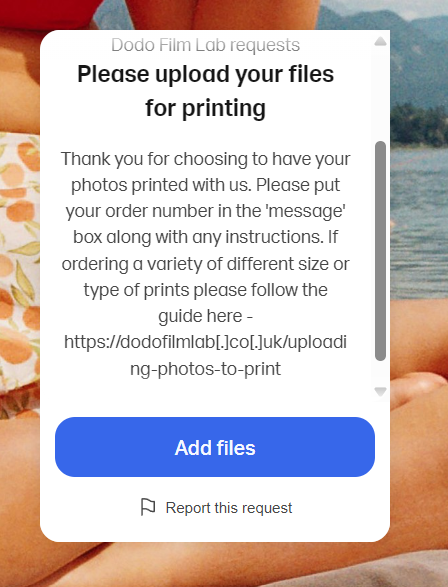
Press ‘Add Files’
The next page has two options and a text box.
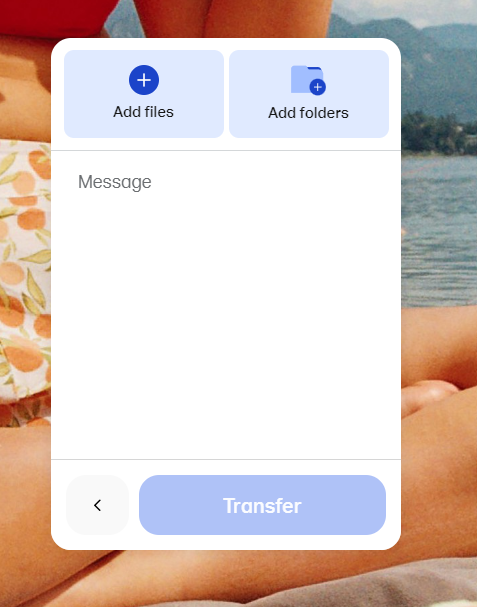
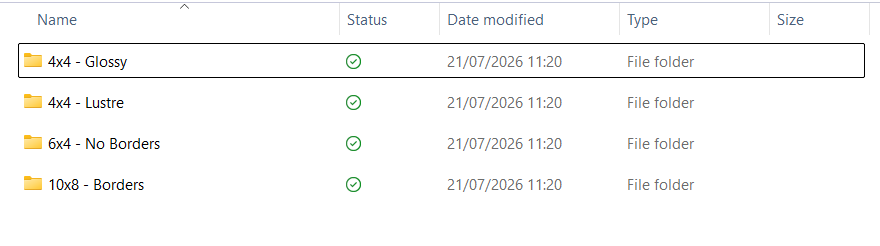
If you have chosen to print a variety of photos in different sizes or with different finishes the quickest way is to save each type in different folders and to upload these folders together, using the ‘Add folders’ button.
You can rename each folder for each type of image you want printed.
The folders on your computer would look something like this, where each folder is titled to indicate how the photos are meant to be printed.
If you are uploading from a phone it may not be possible to arrange your images like this. In which case you can upload multiple times to the link provided, once for each type.
For example if you’ve ordered some 6×4 glossy photos, and some 8×10 lustre photos, you would upload the 6×4 photos and press transfer files. Then you would follow the link a second time and upload the 8×10 photos. Each time in the message box you would write the type of prints these photos are for as below. You’ll note the order number stays the same.
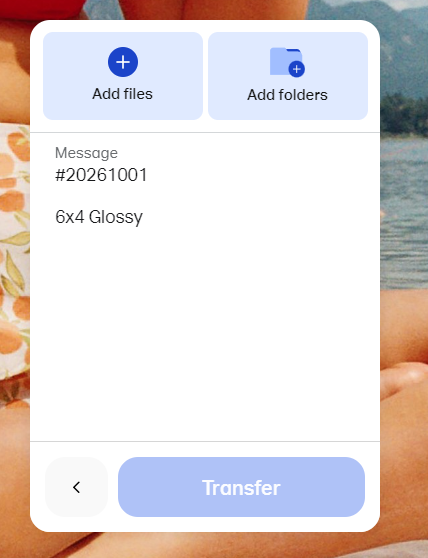
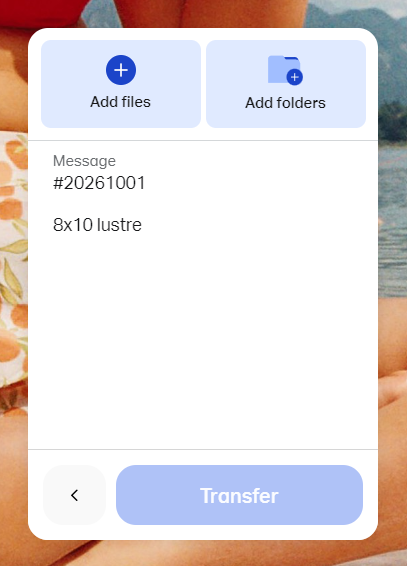
If you press add files you can go through your camera roll or computer files and add the images you’d like printed. Please ensure the number of images matches the number of prints you’ve ordered as any discrepancy will cause delays.
Then press transfer. Your images will be uploaded and shared to us. You’ll see this screen when its done.
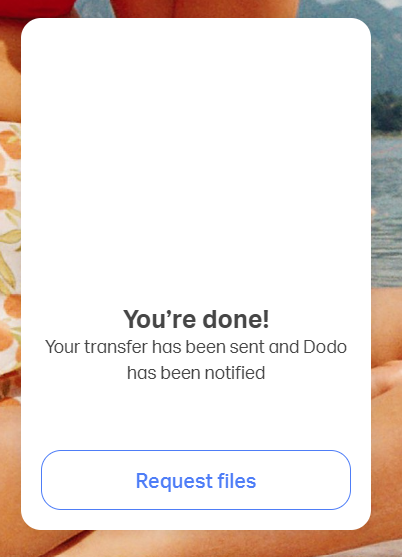
And that’s it, we’ll print the image and post them out to you.
If you have any issues please let us know! We can be reached here